01 — OVERVIEW
Vertex is a unified video-sharing platform built to close the gap between content creation and consumption, eliminating fragmented tools and constant platform switching. Creators can upload, manage, and edit their videos using Vertex’s complete built-in editing studio, without relying on a separate editing platform. This case study documents the UI design decisions behind two distinct experiences: the viewer’s content hub and the creator’s professional studio.
For Viewers
A modern content hub with personalised recommendations, multilingual content, and community tools.
For Creators
A professional studio with built-in editing, analytics, copyright protection, and monetization pathways.
02 — PROBLEM STATEMENT
Creators shouldn’t have to leave their platform to manage their craft, yet most do. Between scattered tools, switching to separate editing platforms, limited insights, and little control over how their content is protected or monetised, the process becomes exhausting before an audience even hits play. Vertex removes this friction by giving creators a complete built-in editing studio, allowing them to create, edit, manage, and publish their videos without relying on external tools.
On the other side, viewers are faced with endless feeds and little direction, searching through noise to find content that genuinely resonates. Two very different users face the same fragmented experience, and that is exactly the gap Vertex was built to close.
2 Users
Creators & Viewers
1 Platform
Unified Ecosystem
0 External Tools
Needed
03 — PLATFORM GAPS
Based on competitor analysis, three consistent gaps emerged across existing video platforms.
01
Creators rely on too many separate tools
Upload here, edit there, check analytics elsewhere. Existing platforms don't bring the full creator workflow under one roof, forcing creators to context-switch constantly.
02
Viewers can't easily find content they care about
Generic feeds and weak personalisation mean viewers wade through irrelevant content. Discovery feels like work rather than delight.
03
No platform that truly serves both
Most platforms optimise for one user type. Creator tools are an afterthought, or viewer experience is sacrificed for creator-facing features. No true balance exists.
04 — COMPETITOR ANALYSIS

05 — DESIGN GOALS
01
One place for everything
Remove the need for external tools by building creator workflows, editing, analytics, and monetization, directly into the platform.
02
Discovery that actually works
Replace generic feeds with personalised, interest-driven content discovery that respects the viewer's time and taste.
03
Two experiences, one platform
Design distinct but cohesive interfaces for viewers and creators, each feeling purpose-built, without sacrificing the other.
04
AI that stays out of the way
Embed AI as a quiet guide, answering questions, surfacing content, assisting creators, without overwhelming the interface.
06 — INFORMATION ARCHITECTURE
All pages and sections across the Vertex platform, viewer and creator experiences.

07 — UI DESIGN
A modern content hub with personalised recommendations, multilingual support, and community engagement tools.
Upload
A step-by-step upload flow that walks creators through adding their video, writing metadata, setting a thumbnail, and choosing visibility. All before hitting publish.
The Creator Studio
A professional-grade dashboard for complete channel control, analytics, editing, and monetisation in one place.
Setting
Manage your channel preferences, account details, notifications, privacy, and connected apps in one place.
08 — DESIGN SYSTEM
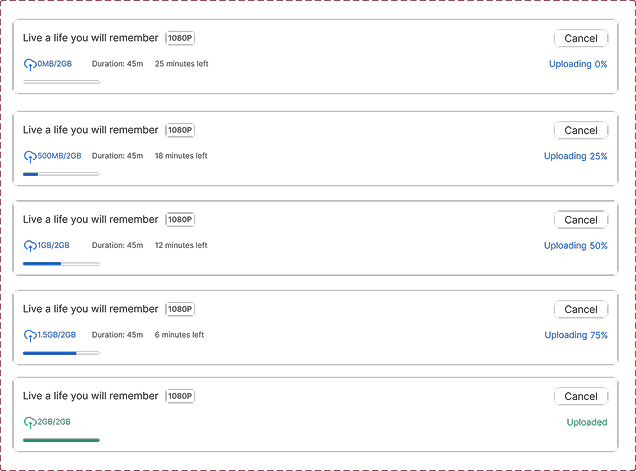
The tokens, typography, and components that give Vertex its identity.

Typography — INTER

Components



09 — AI FEATURE
The AI assistant lives inside the video player, not as a separate tool, but as a quiet layer that activates when you need it. Viewers can ask questions about what they're currently watching, get contextual answers instantly, and choose from suggested prompts if they're not sure where to start. A soft welcome message greets first-time users, making the feature feel approachable rather than overwhelming. No new page, no interruption, just intelligence built into the watching experience.
01
Ask About the Video
Users can ask questions about the video they're currently watching and get instant, contextual answers.
02
Suggested Questions
The AI surfaces pre-built prompts relevant to the content, no blank-slate intimidation.
03
Content Guidance
"Hi there, wondering what you are watching? We are here to guide you." a soft entry point for new users.

10 — REFLECTION
Looking back at the decisions, trade-offs, and what comes next for Vertex.